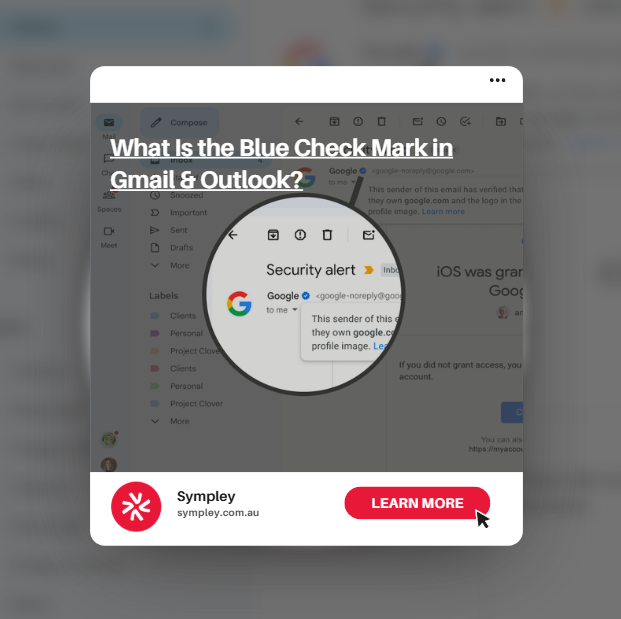
If you’ve recently received an email in Gmail or Office 365 / Outlook and noticed a small blue check mark next to the sender’s name, you’re not alone. Many business owners and marketers are starting to see this new trust indicator appear in their inboxes – and it’s quickly becoming an important part of email credibility.
At Sympley, we’re often asked what the blue check mark means, why it appears, and how businesses can get it. In this article, we’ll break it down in simple terms so you understand what’s happening behind the scenes and why it matters for your brand.
What Are Blue Checks Against Emails?
The blue check mark in Gmail (or what Office 365 calls the Verified Brand/Sender Icon) is a visual trust signal. It shows that the sending domain has been properly authenticated and verified.
In plain English, it means the email you’re receiving is genuinely from the brand it claims to be from – not a spoofed or fraudulent message.
This verification is part of Google’s and Microsoft’s broader push to improve email security and reduce phishing attacks. When configured correctly, it helps recipients feel confident that your emails are legitimate and safe to open.
How the Blue Check Mark Works
Behind the scenes, the blue check mark relies on a combination of email authentication standards and brand verification processes.
Typically, this includes:
- Properly configured SPF, DKIM and DMARC records
- Domain authentication and alignment
- Brand verification with Google (BIMI requirements)
- Consistent sender reputation
When these elements are correctly set up, Gmail may display the blue verification tick next to your brand name or logo in the inbox.
It’s important to note that simply sending emails from your domain is not enough. Your domain must be fully authenticated and meet Google’s sender requirements before the blue check mark will appear.
Why the Blue Check Mark Matters for Your Business
This small visual indicator can have a surprisingly big impact on your email performance and brand trust.
Improved trust and credibility
Recipients are more likely to trust and open emails that show verified status.
Better brand protection
Verification helps prevent spoofing and impersonation of your domain.
Stronger email engagement
Trust signals can contribute to improved open rates over time.
Future-proofing your email setup
Google and Microsoft are continuing to tighten sender requirements, so proper authentication is becoming essential – not optional.
For businesses running regular campaigns, newsletters, or transactional emails, this is especially important.
How to Get the Blue Check Mark
The process to obtain the blue check mark is technical but manageable when handled correctly. At a high level, it involves:
- Authenticating your sending domain
- Configuring SPF, DKIM and DMARC properly
- Meeting Google’s BIMI requirements
- Maintaining a strong sender reputation
- Verifying your brand assets
Because multiple systems must align perfectly, many businesses find it helpful to have an experienced team handle the setup.
Common Mistakes to Avoid
We often see businesses attempt to configure email authentication themselves and run into issues such as:
- Incorrect DMARC policies
- Misaligned DKIM signatures
- DNS propagation problems
- Missing BIMI requirements
- Poor sender reputation
Even small misconfigurations can prevent the blue check mark from appearing – or worse, harm your email deliverability.
This is why ongoing technical oversight matters.
Need Help Getting Verified?
If you want the blue check mark showing next to your emails but aren’t sure where to start, the team at Sympley can help.
Get in touch with Sympley today and let our team handle the technical side so you can focus on growing your business with confidence.